QuickViews
A QuickView is a throwaway exploration: create one to answer a quick question, and let it disappear when you are done. It is the low-stakes counterpart to a dashboard. No naming, no deciding where it belongs, no publishing. You get a blank canvas with the same charts and controls, and you start looking.
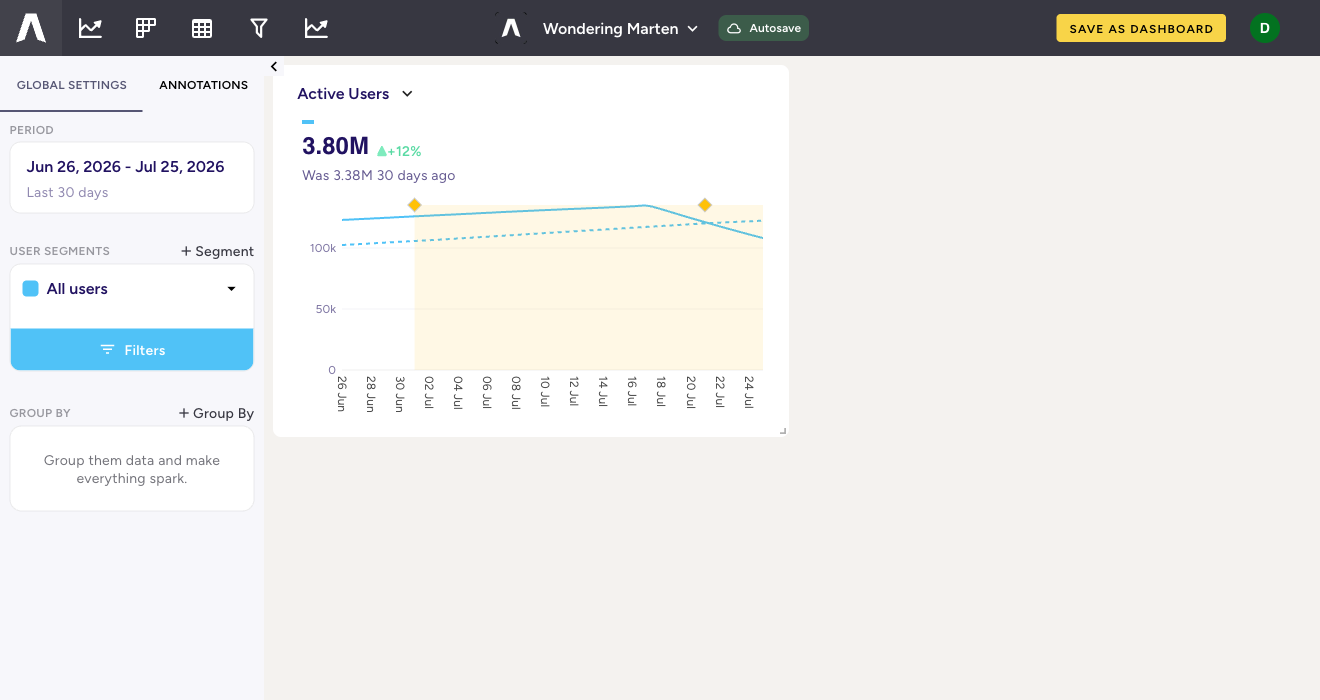
What makes it a QuickView
- Private by default. A QuickView is visible only to you, whatever your role. Even a Viewer can create as many as they like without being able to change anything the team relies on.
- Autosaves. It is named for you and saved as you go (the header shows “Autosave”), so a promising thread is never lost, and you never stop to file it.
- Same power as a dashboard. Add charts, set the period, apply segments and filters, Group By. A QuickView is not a lesser tool; it is the same tool without the ceremony.
From scratch pad to keeper
Most QuickViews are meant to be discarded. When one turns out to matter, “SAVE AS DASHBOARD” promotes it to a real, shareable dashboard in one step, carrying its charts and layout across. This is the intended path: explore freely in a QuickView, and graduate only the ones worth the team’s attention. It keeps the library full of things people chose to keep, rather than every exploratory glance.
Finding them again
QuickViews live under the “QuickViews” tab of the library, which shows your recently viewed ones by default; older ones are one click away. Because they are personal and disposable, they do not clutter what your teammates see.
Next: promote the keepers into dashboards, or write up a finding as a Story.