Funnels
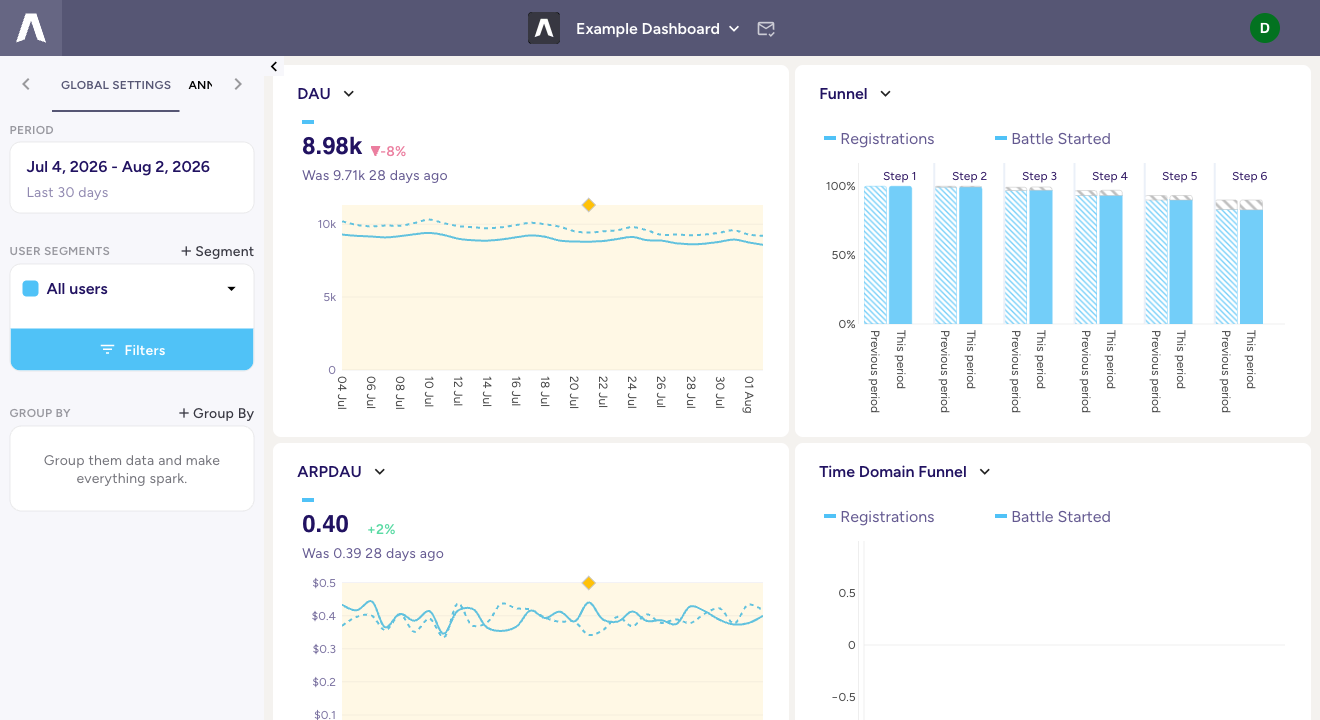
A funnel measures how many users move through an ordered sequence of steps and where they fall out: registration to first battle to first purchase, or tutorial start to tutorial complete to day-2 return. Each step is an event from your model, so a funnel is built from the same governed definitions as everything else, not a separate tracking setup.
Steps
Pick the events, in order. Users count at a step only if they completed every step before it, so the funnel is strictly sequential: it reads the share of the previous step that made it to the next. The first step is the population the rest is measured against.
The conversion window
The one setting that changes what a funnel means is the conversion window: how long a user has, after one step, to reach the next one and still count as converted. The default is 24 hours. A “registration to first purchase” funnel with a 24-hour window answers “who bought on day one”; the same funnel with a 7-day window answers a different question. Set it to the window that matches the decision you are making. It is a preset with a freeform entry, so you can type an exact duration.
What each bar measures
A funnel step can be read three ways, and you choose per funnel:
- Count: the number of events at that step.
- Users: distinct users who reached the step (the usual choice, since a user can fire an event more than once).
- % of first step: the step as a conversion rate off the top of the funnel.
Reading it
Step-to-step, the funnel shows where the drop-off is, which is usually more actionable than the endpoint number. Like every chart, a funnel responds to the dashboard’s period, user segments, filters, and Group By, and it can show the current range against the previous period so you see whether a step is converting better or worse than before.
Adding one
Add a funnel to any dashboard or QuickView from the chart toolbar, then choose the events for its steps. Nothing new to instrument: if the events are in your model, they can be funnel steps.
Beyond the funnel
A funnel is the readable form of a sequence query. When a question runs past conversion rates, what players did between steps, how long each step took, or what happened after the funnel completed, the SeQL sequence language expresses it.