GA4 BigQuery Export Data Quality: 7 Quirks That Skew Counts
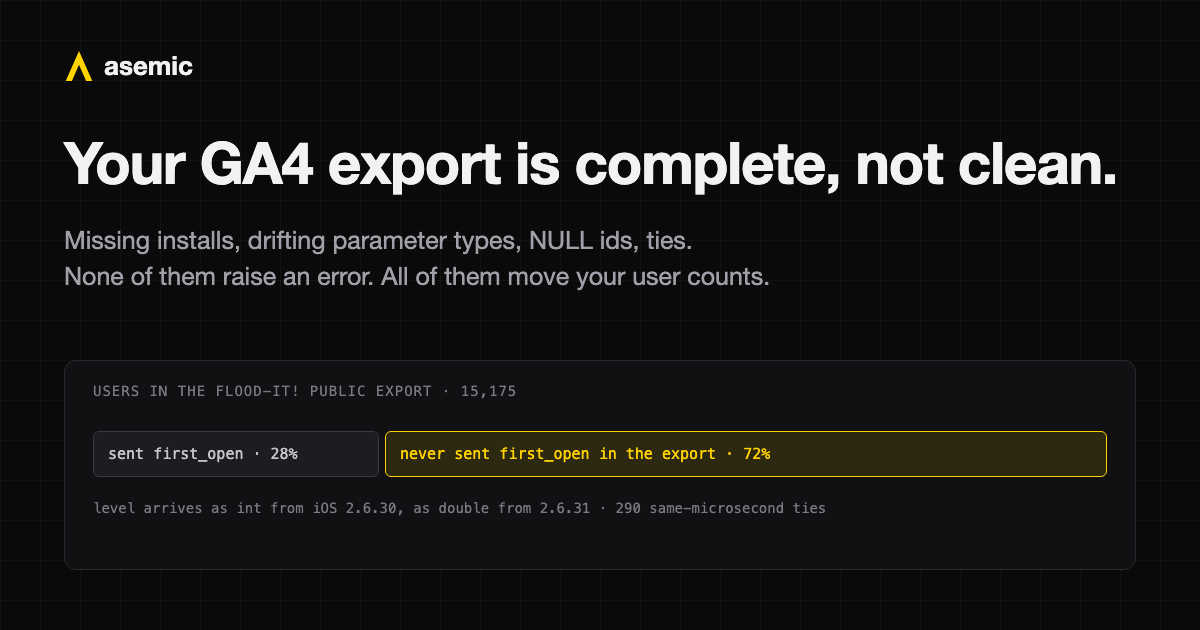
In short: the GA4 BigQuery export contains every event, but seven quirks quietly skew user counts. Most users never send first_open; parameter types drift between app versions; NULL user_pseudo_id rows act as one fake user; same-timestamp ties and MAX() pick the wrong values; some rules change with how you batch the history; some exports have only events_intraday tables; and most of a game’s events are not on Google’s list. Each section below has a query to check your own export.
The GA4 BigQuery export is complete in the sense that every event your game logged is there. It is not clean in the sense most analysis assumes, and most GA4 BigQuery export issues are of that second kind. Building GA4 support for our product, on Google’s public Flood-It! export and on production games, we hit the same handful of quirks again and again. None of them produce an error. Each one quietly changes installs, DAU, or cohort numbers.
Every number below from Flood-It! can be reproduced on firebase-public-project.analytics_153293282, which anyone can query. Where a quirk only shows up on production data, we say so and keep the numbers rough.
first_open is missing for most users in the BigQuery export
The standard way to build cohorts is to treat first_open as the install and count from there. On Flood-It!, 10,856 of 15,175 users (72%) never send first_open inside the export. Most of them installed before the export was linked: 9,086 users (60%) have a user_first_touch_timestamp earlier than the first day of data. The remaining 1,770 first appear inside the data window without one, which on a sampled export like this is partly a sampling artefact, and on a production export usually means a lost or late event. A few users have the opposite problem: three send first_open more than once.
A model that registers users from first_open therefore leaves most active players outside every cohort, and if DAU is computed against registered users, outside DAU too.
The fix has two parts. Register a user on the first day any activity event sees them, using first_open only as the preferred row when it exists. Then take the install date from user_first_touch_timestamp, so a player who installed last year lands in last year’s cohort instead of in “day 0” of your data. A side effect worth keeping: installs then count only players who actually installed during the period you have.
SELECT
  COUNT(*) AS users,
  COUNTIF(first_opens = 0) AS never_sent_first_open
FROM (
  SELECT user_pseudo_id, COUNTIF(event_name = 'first_open') AS first_opens
  FROM `firebase-public-project.analytics_153293282.events_*`
  WHERE user_pseudo_id IS NOT NULL
  GROUP BY user_pseudo_id
)
event_params types drift: int_value vs double_value
A parameter’s value lands in one of string_value, int_value, float_value, or double_value, and which one can change between builds of the game, and even within one. On Flood-It!, the level parameter of level_up is mostly doubles, but iOS 2.6.30 sends only integers, the very next version, 2.6.31, sends only doubles, and Android 2.62 sends both. Across the dataset, 2,957 of 35,666 values (8%) are integers.
A query that reads ep.value.double_value returns NULL for every one of them, with no error, and the iOS 2.6.30 players vanish from any level analysis. Read every numeric field instead (float_value is documented as unused today, and costs nothing to include):
COALESCE(ep.value.int_value, ep.value.double_value, ep.value.float_value) AS levelTo find drifting parameters in your own export, count the non-null fields per key:
SELECT event_name, ep.key,
  COUNTIF(ep.value.string_value IS NOT NULL) AS strings,
  COUNTIF(ep.value.int_value IS NOT NULL) AS ints,
  COUNTIF(ep.value.double_value IS NOT NULL) AS doubles,
  COUNTIF(ep.value.float_value IS NOT NULL) AS floats
FROM `firebase-public-project.analytics_153293282.events_*`, UNNEST(event_params) ep
WHERE _TABLE_SUFFIX BETWEEN '20180801' AND '20180831'
GROUP BY 1, 2
HAVING (SELECT COUNTIF(n > 0) FROM UNNEST([strings, ints, doubles, floats]) n) > 1
On one month of Flood-It!, this flags 20 event and parameter pairs, including level on seven different events, score on post_score, and even the automatically collected firebase_screen_id. Flood-It! is an obfuscated sample, so treat its exact mix as illustrative; drift is the normal state of production exports too, not an edge case. If you unnest parameters into a flattened copy of the export, resolve the type there once, so every query downstream reads one column.
NULL user_pseudo_id rows become one fake user
Exports can carry events with a NULL user_pseudo_id. The documented source is consent mode on web streams, where cookieless pings are exported without an id; app exports can carry them too. Flood-It! has none, but production exports do.
The danger is in what SQL does with NULL. GROUP BY user_pseudo_id collects every one of those rows into a single group, so they count as one very active user. (COUNT(DISTINCT user_pseudo_id) skips NULLs, so the fake user appears only where you group first and then count groups.) An incremental “register new users” step fails in one of two ways. Written as NOT EXISTS or a LEFT JOIN ... IS NULL anti-join, the NULL row never matches the NULL already registered, because NULL equals nothing, so the same fake user is inserted again on every build. On one production game that went on until a duplicate check finally failed on it. Written as NOT IN (SELECT user_pseudo_id ...), a single NULL in the registrations table makes the condition NULL for everyone, and new registrations silently stop.
Filter user_pseudo_id IS NOT NULL explicitly wherever you derive users, and count how many rows you drop, because a sudden rise in that count is itself a tracking signal.
Same-timestamp ties and MAX() pick the wrong row
Two rules that look harmless together produce wrong user properties.
First, ties. On Flood-It!, 290 pairs of events share both a user and an identical microsecond timestamp, and 207 of those pairs are also the same event, so some are likely duplicate rows: deduplicate before you pick. Any logic that takes “the user’s first event” with ORDER BY event_timestamp LIMIT 1, or ROW_NUMBER() over the timestamp alone, picks one of a tie arbitrarily, and two runs can pick differently.
Second, aggregating properties with MAX(). Taking a registration property as MAX(app_info.version) over a user’s registration rows looks like a way to collapse duplicates. It is really a comparison of strings: a player who upgraded from 2.6.9 to 2.6.10 is stored as 2.6.9, because '2.6.9' > '2.6.10' character by character. And because the rows in the aggregate depend on how far the build reaches, two rebuilds of one of our test projects that differed only in how the history was split into batches disagreed on the registration properties of several hundred users.
Take every registration property from one row, chosen by a fully deterministic order (date, timestamp, then a tie-breaker), and never from an aggregate across rows.
Answers that depend on how you batch the history
A rule that seems obviously correct can produce numbers that change with the size of your backfill batches. Our case, from before we switched to registering users on first appearance: a user whose first_open row landed the day after their first activity (a late upload, or a device clock) counted as active on that first day only when both days happened to be built in the same batch. One game had roughly 0.1% of user-days like that, which is small, but it made a rebuild of one month disagree with the history built a week at a time, and an integrity check failed on it.
This class of bug is hard to see by reading SQL and quick to catch by testing: build the same period twice with different batch sizes, then diff the results with EXCEPT DISTINCT in both directions. Any row that differs is a rule that depends on batching. The fix is to state every membership rule per day (“registered on or before this day”), so a day’s answer never depends on what else was built with it.
Some GA4 exports have only events_intraday tables
A standard GA4 property’s daily export is limited to 1 million events a day. A property over the limit, or one with only streaming enabled, can end up with events_intraday_YYYYMMDD tables and no events_YYYYMMDD at all. A pipeline that reads events_2* sees an empty dataset and reports “no events”, while the data is right there under the other prefix.
Mixed exports are subtler: a property that streamed for a while and then turned on the daily export, or whose daily export failed for one day, has some days in one prefix and some in the other. For each day, read the daily table when it exists and the streaming table otherwise. Do not union both for the same day: the intraday table is supposed to be deleted once the daily table is complete, but while both exist (or when the deletion did not happen) every streamed event counts twice. Note that the wildcard events_* also matches events_intraday_*; filter _TABLE_SUFFIX, or use events_2*, for daily tables only. The GA4 docs cover how Asemic picks the prefix per day.
Your events are not Google’s list
Google publishes recommended events for games, and it is tempting to model from that list. Flood-It! sends 37 event names. 15 are collected automatically, 6 are on Google’s games list, and the other 16 are the game’s own: level_start_quickplay, use_extra_steps, ad_reward, and so on. Those 16 carry about three quarters of the game’s non-automatic events, so a model built from the documentation instead of from the data misses most of the gameplay. Before modelling, list what the export actually contains over a recent week, with each event’s parameters and how often each is filled.
A GA4 BigQuery export data quality audit
If you query the export yourself, these checks take a few minutes and cover everything above:
- Share of users with no
first_open, and share with a first touch before your data begins. - Parameters with more than one value type, from the query above.
- Count of rows with a NULL
user_pseudo_id, per day. - Users with two events at the same timestamp, if you derive anything from “first event”.
- A rebuild of one week with a different batch size, diffed against the original.
- Which export prefixes exist for each day.
- Event names in the data that your model does not know about.
When we built Asemic’s GA4 support, each of these became a rule in the product, from registering users on first appearance to the import that builds the model from what the game actually sends; a tracking change that goes wrong later shows up in event health. If the same export also has a time zone problem, fix that first, since it changes every daily number. Once the counts are right, the question worth asking is why they moved, which is what causal decomposition is for. Or book a demo and bring your analytics_ dataset.