Flatten the GA4 BigQuery Export: What It Costs, What It Saves
In short: flattening the GA4 BigQuery export means rewriting it into your own table, partitioned by date, clustered by event_name, with event_params unnested into typed columns. It cannot be done in place, and a materialized view cannot read the export. On Google’s public Flood-It! export it cut a rare-event read from 601 MB to 55 MB; at several million events a day, keeping the copy costs roughly $1 to $1.50 a day, mostly storage.
Every team that queries the GA4 BigQuery export eventually writes the same thing: a job that unnests event_params into columns and writes a cleaner table. Most do it for convenience. The better reason is cost, and the costs are less obvious than they look, in both directions. We built this for our own product and measured it, on Google’s public Flood-It! export and on a production game. This is what we found.
Why the raw export is expensive: unnesting event_params on every read
The export is one unclustered table per day. Reading one event means reading the requested columns for every row of every day in range, whichever event they belong to. A chart of a rare event, such as purchases, pays for all the screen views around it.
Parameters make it worse. Anything you take from event_params reads the key column and the value column for every parameter of every row, because BigQuery cannot read one key’s entries out of a repeated record. On Flood-It!, reading a parameter cost 2.8 times as much as the base columns of the same rows.
So a typical “revenue per day” query on the raw export scans every row and every parameter of every event, to find a handful of purchases.
Why you can’t cluster the GA4 export in place or use a materialized view
The obvious fixes do not work, and it is worth knowing why before you try them.
Adding clustering to the export tables. We built a 3.42 GB, 4.5-million-row test table (three days of Flood-It! repeated 30 times, to get the shape of one day of a large game) and read one parameter of a rare event:
| Table | Bytes billed |
|---|---|
| As exported | 708.8 MB |
Clustering added with bq update --clustering_fields=event_name | 708.8 MB |
Rewritten with CLUSTER BY event_name | 10.5 MB |
Adding a clustering spec to an existing table changes metadata only. BigQuery clusters data as it is written, and a GA4 day is written once, plus a trickle of late rows, so the bulk of it is never clustered. (10.5 MB is near BigQuery’s 10 MB minimum per table, so the real reduction is at least the 68 times shown.) Only a full rewrite clusters it, and rewriting the export tables is not an option: GA4 keeps updating a daily table for up to two days after its date and would overwrite your version, intraday tables keep receiving streamed rows until the day closes, and you would be writing into tables GA4 manages.
A materialized view. On the export itself BigQuery refuses it: “Materialized view query cannot reference wildcard tables.” Point it at a partitioned copy instead and an incremental materialized view accepts a flat projection, but not the per-key subquery (SELECT ... FROM UNNEST(event_params) WHERE key = ...) that pulls a parameter into a column. Only a non-incremental view accepts that, and it is recomputed in full on every refresh.
That leaves a table you own and maintain.
How to flatten the GA4 BigQuery export into a table worth keeping
Our copy, which lives in the studio’s own dataset, makes four choices. Each one is a tradeoff you will face if you build your own.
- Partitioned by UTC date, clustered by
event_namethen the user id. A chart for one event reads that event’s blocks, for only the days in range. Note that a partition holds rows from two export shards (three at the edges), because the shards follow the property’s time zone; the time zone post explains why. - Every parameter unpacked, one column per key and value type.
levelarriving as an integer from one app version and a double from another becomes two columns rather than one silently lossy one (that drift is one of the export’s data quality quirks). Columns are added as new keys appear, up to a cap of 400, far below BigQuery’s column limit. - The original columns and arrays kept. This was the expensive decision. On Flood-It!, the copy is 4.64 GB against the export’s 4.15 GB, and the arrays are 1.66 GB of it, about 36% of the copy; without them the copy would be about 3 GB, smaller than the export. In exchange, the copy is a superset of the export: every query written against the export runs on the copy unchanged, and a parameter that first appears next month is not lost.
- Rows more than a day away from their shard are dropped. Those come from devices with wrong clocks. On Flood-It! there were none; on a large production game, expect some.
What flattening saves: bytes and slot-seconds
Reads over 90 days of Flood-It!, executed jobs with the cache off:
| Read | Raw export | Flattened copy |
|---|---|---|
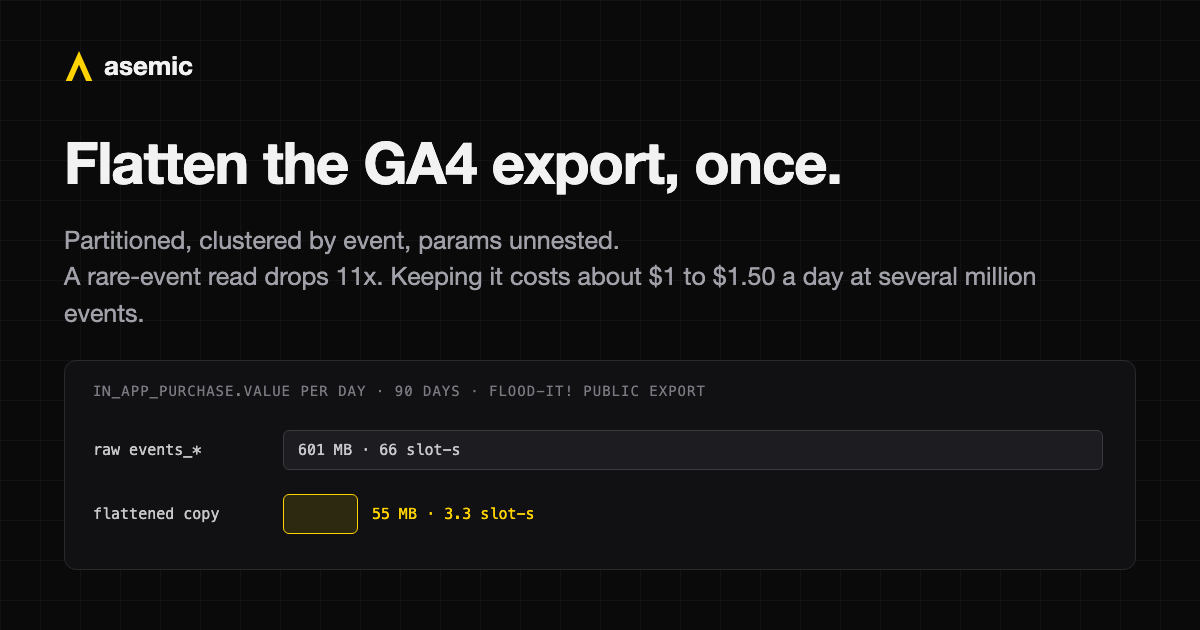
Rare-event parameter (in_app_purchase.value per day) | 601 MB, 66 slot-seconds | 55 MB, 3.3 slot-seconds |
Common-event DAU (session_start) | 262 MB, 62 slot-seconds | 177 MB, 0.8 slot-seconds |
Parameter breakdown (level_complete_quickplay by level_name) | 643 MB, 63 slot-seconds | 60 MB, 1.1 slot-seconds |
Look at the slot-seconds as well as the bytes. On-demand pricing bills bytes, so the DAU row barely moves your bill. On capacity pricing you pay for slot time, and there the same query uses about 75 times less of it. Most of the raw cost is overhead from opening 90 daily tables, not bytes. That shows up as reservation headroom, or a smaller autoscaling bill, rather than a 75 times smaller invoice.
Flood-It! is a small game, about 40 MB of events a day, so clustering has little to skip. On the 3.42 GB test table above, the same rare-event read dropped about 68 times. The gain grows with how much data a day holds and how rare the event is, since clustering can only skip whole blocks.
For our own model builds, the one-day incremental build, the steady state that runs every day, went from 538 MB to 192 MB on Flood-It!. Most of that was a 28-day revenue window that used to reread four weeks of purchases from the raw export every day.
What a flattened GA4 BigQuery export costs at production scale
The savings only matter against the bill for keeping the copy. Here are rough numbers from a production game we run this on, with several million events a day and several months of history copied.
- The first build copied everything once: about two hours, about 3 TB scanned, roughly $20 at on-demand rates, including rebuilding the model on top of it.
- Daily upkeep scans about 15 GB, roughly ten cents a day. Most days are confirmed unchanged by a cheap row-count check rather than recopied.
- Storage is the real running cost. Around 10 GB a day of logical storage: roughly $30 to $40 a month at the current history and $45 to $70 at a full year, depending on how much has aged into long-term pricing (a partition you rebuild restarts its 90-day clock). On physical (compressed) storage billing it is roughly a third of that, though time-travel bytes from rebuilds count against it.
So for a game this size the copy costs somewhere around $1 to $1.50 a day all in, and pays for itself if it saves more than that in scans or slots. At on-demand rates that is about a quarter of a terabyte of scanning, and one 90-day dashboard query on a raw export this size can cost more. A team running dashboards, ad-hoc analysis, and model builds on the export clears it within a few queries a day. A team that queries the export twice a month does not, and should keep reading the raw tables with good shard pruning.
Keeping a copy honest
A copy that drifts from the export is worse than no copy, because it is wrong and fast. Four things kept ours correct.
Change detection from metadata, not a restatement window. BigQuery’s __TABLES__ view lists every shard’s row count and last-modified time, and reading it bills 0 bytes. Any shard whose metadata moved since we copied it is rechecked. That covers GA4’s own updates, late uploads, and rows a studio deletes from the export; a schema change also triggers a recheck, which errs on the safe side.
A tolerance for late events. Recent shards keep gaining stray rows for a while from devices that were offline, and streaming tables stay open longer. If every extra row invalidated a day, each rebuild would recopy much of the history. A rechecked day that only gained a few rows (up to 100, or 0.1%) stays valid. If it lost rows or gained more, it is read from the export until it is rebuilt.
Open days are not trusted. A streaming table that can still change is copied but not read from until the day is over everywhere and no daily table is coming to replace it.
Proof by diffing. We built the same 29 days of Flood-It! twice, once from the export and once through the copy, and required the resulting tables (5,692 registrations, 15,284 daily rows, 100,084 lifetime rows) to be identical. They were, with zero rows in either direction of an EXCEPT DISTINCT. That run also caught two bugs before anything shipped, including the time zone one.
A flattened copy also inherits the export’s data quality quirks, so resolve parameter types and drop NULL user ids as you build it, not in every query afterwards.
One thing to plan before you build your own
A flattened copy is a second copy of your players’ data. When a studio handles a deletion request, it deletes the player’s rows from its GA4 export; a copy nobody knows about keeps them until its retention expires. Metadata-based change detection helps (a delete moves the shard’s last-modified time, so the day is rebuilt), but only for days still in the copy, and only if the rebuild actually runs. GA4’s own user deletion does not remove rows already exported to BigQuery either, so the export and any copy each need their own delete. If you build a copy, keep it in a dataset your privacy process knows about, keep the retention short, and make sure deletion reaches it. Ours is opt-in and lives in the studio’s own dataset for that reason, and we are still adding an explicit erase path.
If you would rather not maintain this yourself, the analysis-ready events copy is one switch per export in Asemic, and the GA4 integration docs cover the rest of the setup. Once reads are cheap, the useful question is why a metric moved, which is what causal decomposition is for. Or book a demo and bring your analytics_ dataset.